🚀 9to5Today Quick Summary
Best AI Tools 2026 Artificial intelligence has moved beyond simple chatbots. In 2026, AI tools are helping millions of professionals write faster, analyze data, generate images, build software, automate workflows, conduct research, and save hours every week.
In this comprehensive guide, the 9to5Today editorial team reviews the 10 best AI productivity tools available today. We compare their features, pricing, strengths, limitations, and ideal use cases to help you choose the right AI assistant for work, study, or business.
Whether you’re a student, entrepreneur, developer, marketer, designer, or business owner, these AI tools can significantly improve your daily productivity.
What You’ll Learn
- Why AI productivity tools are becoming essential
- How we evaluated each tool
- Which AI tool is best for your specific needs
- Free vs. paid AI tools
- Which AI tools are worth your money in 2026
- Our expert recommendations
Table of Contents
- Why AI Productivity Matters
- How We Evaluated These AI Tools
- The Top 10 AI Tools for 2026
- Comparison Table
- Which AI Tool Is Right for You?
- Frequently Asked Questions
- Final Verdict
Why AI Productivity Matters More Than Ever
Artificial intelligence has become one of the biggest productivity revolutions since the arrival of the internet. What started as experimental software has evolved into practical tools that are changing how people work, communicate, learn, and solve problems.
Just a few years ago, creating a presentation, writing a report, designing marketing materials, or analyzing large amounts of information could take hours—or even days. Today, AI can assist with many of these tasks in minutes, allowing professionals to focus on strategy, creativity, and decision-making instead of repetitive work.
According to industry research and workplace adoption trends, businesses of all sizes are increasingly integrating AI into their daily operations. Small startups use AI to reduce costs, while large enterprises deploy AI to automate workflows, improve customer service, and enhance employee productivity.
The impact extends beyond business. Students use AI to understand complex topics, developers accelerate coding projects, marketers create campaigns more efficiently, and content creators generate ideas, scripts, and visuals with unprecedented speed.
However, not every AI tool delivers the same value. Some excel at writing, others specialize in programming, research, image generation, or workplace collaboration. Choosing the right tool depends on your goals, workflow, and budget.
This guide aims to simplify that decision by reviewing ten of the most influential AI tools available in 2026.
How We Evaluated These AI Tools
At 9to5Today, we don’t rank tools based solely on popularity. Instead, we evaluate them using practical criteria that matter to real users.
Each tool is assessed across six key areas:
| Evaluation Criteria | Weight |
| Features & Capabilities | 25% |
| Ease of Use | 20% |
| Productivity Impact | 20% |
| Value for Money | 15% |
| Integrations & Ecosystem | 10% |
| Innovation | 10% |
This scoring system helps ensure our recommendations are balanced and transparent.
We also consider:
- Availability of a free plan
- Learning curve
- Performance for individuals and teams
- Reliability
- Cross-platform support
- Business use cases
- Student-friendly features
- Developer capabilities
- Overall user experience
Rather than recommending tools based on marketing claims, our goal is to highlight where each platform performs best and where it may fall short.
What Makes a Great Best AI Productivity Tool?
The AI market is evolving rapidly, with dozens of new products launching every month. Yet only a handful consistently deliver meaningful productivity gains.
The best AI tools share several important characteristics:
They Save Time
A great AI assistant should eliminate repetitive work, not create additional tasks. Whether it’s drafting emails, summarizing documents, writing code, or organizing information, the primary goal is to help users accomplish more in less time.
They Produce High-Quality Results
Speed alone isn’t enough. The output must be accurate, well-structured, and require minimal editing. High-quality AI should act as a capable first collaborator rather than simply generating generic text.
They Fit Into Existing Workflows
Professionals already rely on platforms such as Microsoft 365, Google Workspace, Slack, GitHub, Notion, Canva, and WordPress. The most valuable AI tools integrate smoothly into these ecosystems instead of forcing users to change how they work.
They Continue Improving
Artificial intelligence evolves quickly. The best platforms receive regular updates that introduce new capabilities, improve accuracy, and expand real-world usefulness.
Our Top 10 AI Productivity Tools for 2026
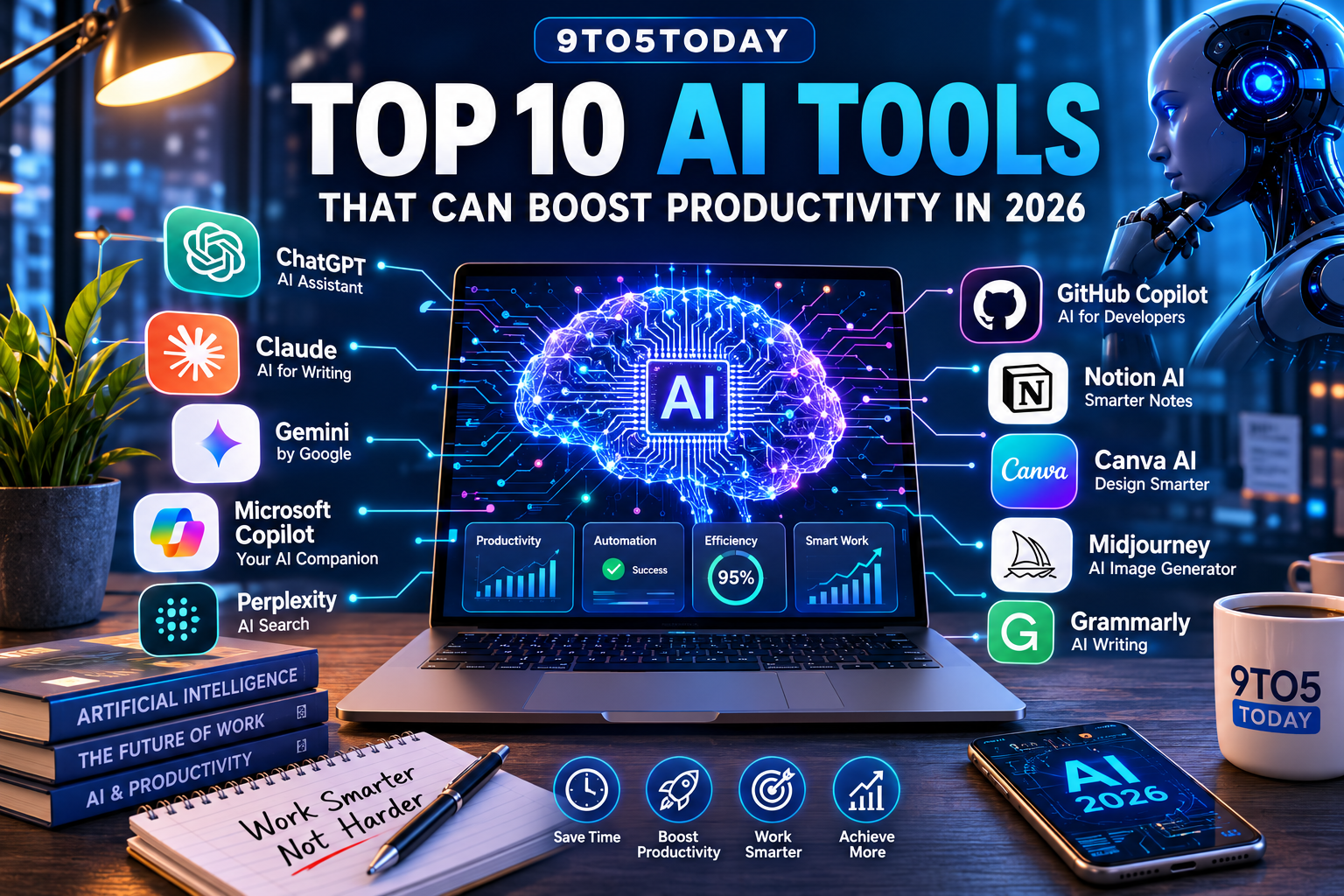
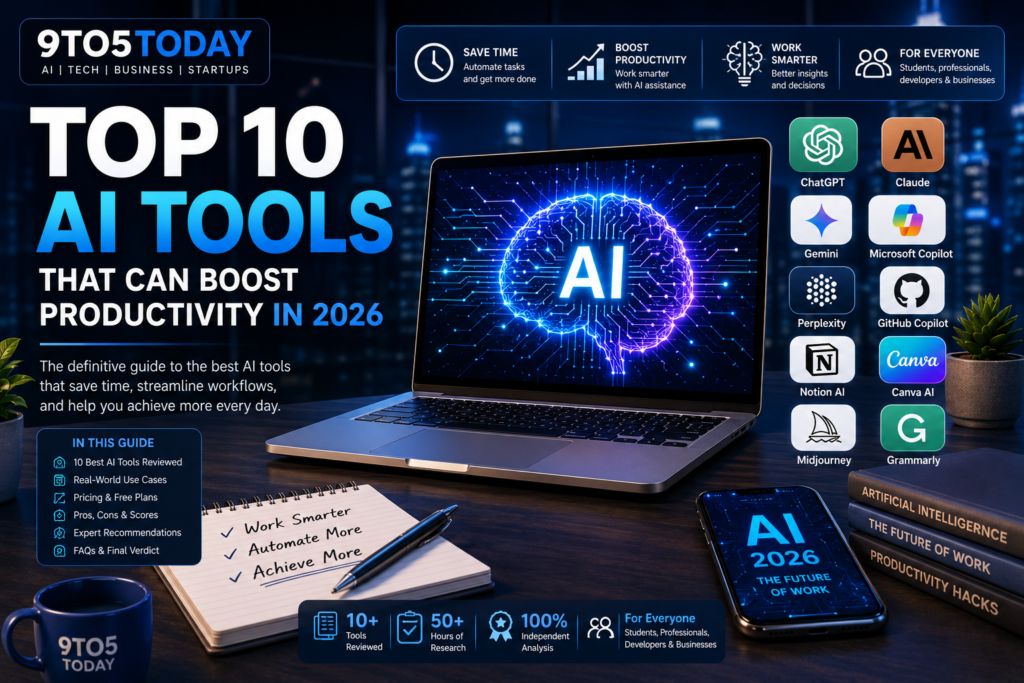
After evaluating dozens of AI platforms, these are the tools that stand out for their performance, reliability, and practical value:
- ChatGPT
- Claude
- Google Gemini
- Microsoft Copilot
- Perplexity AI
- GitHub Copilot
- Notion AI
- Canva AI
- Midjourney
- Grammarly AI
Each tool excels in different areas, and throughout this guide we’ll explain which one is best suited to your specific needs.
Editor’s Note
Artificial intelligence is developing at an extraordinary pace. New features, pricing plans, and capabilities can change throughout the year. The 9to5Today Editorial Team reviews and updates this guide regularly to reflect the latest developments, ensuring our recommendations remain accurate and useful for readers.
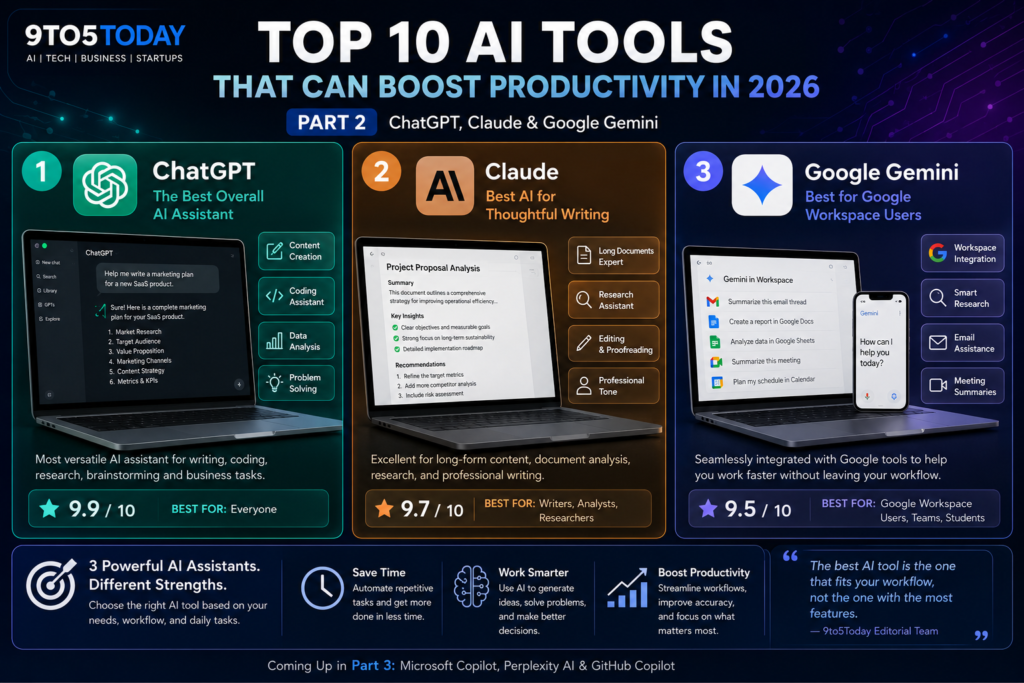
The first three tools on our list have become the foundation of modern AI productivity. While all three are conversational AI assistants, each has developed its own strengths, making them suitable for different types of users and workflows.
Rather than asking “Which AI is the best?”, a better question is:
“Which AI is the best for the way I work?”
After extensive testing and comparing real-world use cases, here’s how these leading AI assistants perform.
1. ChatGPT — The Best Overall AI Assistant
Developer: OpenAI
Best For:
- Content creators
- Businesses
- Developers
- Students
- Researchers
- Marketing teams
9to5Today Score™
| Category | Score |
| Ease of Use | 10/10 |
| Features | 10/10 |
| Writing | 9.9/10 |
| Coding | 10/10 |
| Creativity | 9.8/10 |
| Business Use | 10/10 |
Overall Score
⭐ 9.9 / 10
Overview
ChatGPT continues to set the benchmark for conversational AI in 2026. It has evolved from a text-based chatbot into a versatile productivity platform capable of assisting with writing, programming, research, planning, brainstorming, data analysis, and much more.
One of ChatGPT’s biggest strengths is its adaptability. It can switch between roles effortlessly, acting as a business consultant, software engineer, writing coach, marketing strategist, or research assistant depending on the task.
For professionals who juggle multiple responsibilities, this flexibility makes ChatGPT an invaluable everyday tool.
Key Features
- Long-form content creation
- Professional email drafting
- Advanced coding assistance
- Document analysis
- Brainstorming ideas
- Data organization
- Marketing strategy
- Image generation (supported plans)
- Custom GPTs
- Workflow automation
Real-World Use Cases
Business Owners
Entrepreneurs use ChatGPT to:
- Write business proposals
- Create sales emails
- Build marketing campaigns
- Analyze competitors
- Generate product descriptions
- Draft contracts
A task that previously took several hours can often be completed in minutes with AI assistance.
Developers
Developers frequently rely on ChatGPT for:
- Debugging code
- Learning new frameworks
- Creating APIs
- Database design
- Writing documentation
- Code optimization
Instead of replacing developers, ChatGPT acts like an experienced programming partner that accelerates problem-solving.
Students
Students benefit from ChatGPT by:
- Explaining difficult concepts
- Summarizing textbooks
- Practicing languages
- Preparing for exams
- Improving essays
- Organizing study plans
Its conversational approach makes learning more interactive than simply searching through webpages.
Pros
✅ Excellent writing quality
✅ Outstanding coding capabilities
✅ Highly versatile
✅ Supports multiple languages
✅ Strong reasoning abilities
✅ Large ecosystem of integrations
Cons
❌ Premium features require a subscription
❌ Important information should still be verified before use
9to5Today Verdict
If you only plan to subscribe to one AI assistant in 2026, ChatGPT remains our top recommendation thanks to its balance of creativity, productivity, technical capability, and ease of use.
2. Claude — The Best AI for Thoughtful Writing
Developer: Anthropic
Best For
- Writers
- Researchers
- Lawyers
- Analysts
- Editors
- Long documents
9to5Today Score™
| Category | Score |
| Ease of Use | 9.8 |
| Writing | 10 |
| Long Documents | 10 |
| Coding | 9.5 |
| Business | 9.6 |
Overall
⭐ 9.7 / 10
Overview
Claude has earned a strong reputation for producing clear, thoughtful, and well-structured writing. It is particularly effective when working with lengthy documents, making it a favorite among professionals who need to analyze reports, contracts, research papers, or extensive documentation.
Unlike many AI assistants that focus primarily on speed, Claude often emphasizes clarity and context. This makes it especially useful for users who need careful explanations or detailed editing.
Key Features
- Excellent long-form writing
- Strong document analysis
- Research assistance
- Natural language editing
- Business reports
- Academic support
- Coding assistance
Real-World Applications
Many professionals use Claude for:
- Reviewing contracts
- Summarizing research papers
- Editing reports
- Policy analysis
- Business planning
- Documentation
For organizations that regularly work with extensive written material, Claude can significantly reduce the time spent reviewing and organizing information.
Pros
✅ Outstanding writing quality
✅ Excellent with large documents
✅ Professional tone
✅ Reliable summaries
Cons
❌ Fewer integrations than some competitors
❌ Less focused on image generation and creative media
9to5Today Verdict
Claude is one of the strongest AI assistants for professionals who spend much of their day reading, editing, or producing detailed written content.
3. Google Gemini — Best for Google Workspace Users
Developer: Google
Best For
- Gmail users
- Google Docs
- Google Workspace
- Students
- Businesses using Google services
9to5Today Score™
| Category | Score |
| Ease of Use | 9.6 |
| Workspace Integration | 10 |
| Productivity | 9.5 |
| Writing | 9.3 |
| Research | 9.4 |
Overall
⭐ 9.5 / 10
Overview
Google Gemini is designed to work seamlessly within the Google ecosystem. If your daily workflow revolves around Gmail, Google Docs, Sheets, Drive, Meet, and Calendar, Gemini offers an experience that feels naturally integrated into those services.
Instead of switching between multiple applications, users can access AI-powered assistance directly within the tools they already use.
For businesses and educational institutions invested in Google Workspace, this integration can lead to meaningful productivity improvements.
Key Features
- Gmail assistance
- Google Docs writing support
- Spreadsheet analysis
- Meeting summaries
- Calendar assistance
- Research support
- Workspace automation
Practical Benefits
Imagine receiving a long email thread from a client. Rather than reading every message individually, Gemini can summarize the conversation, identify action items, and even help draft a professional reply.
Similarly, users can generate reports in Google Docs, analyze spreadsheet data, and organize meetings without leaving the Google Workspace environment.
These workflow improvements reduce context switching and help users stay focused.
Pros
✅ Excellent Google integration
✅ Great for office productivity
✅ Easy to use
✅ Strong research capabilities
Cons
❌ Best experience requires Google Workspace
❌ Some advanced capabilities depend on subscription plans
9to5Today Verdict
If your workday revolves around Google’s ecosystem, Gemini is one of the most practical AI assistants available. Its tight integration with Workspace makes it an excellent choice for businesses, educators, and professionals who rely heavily on Google’s productivity tools.
The first three tools covered in this guide are versatile AI assistants, but the remaining tools specialize in solving specific productivity challenges. Whether you work in Microsoft 365, write software, create designs, manage projects, or produce content, these AI platforms can save hours every week.
4. Microsoft Copilot — Best for Microsoft 365 Users
Developer: Microsoft
Best For:
- Office professionals
- Corporate teams
- Excel users
- PowerPoint creators
- Outlook users
9to5Today Score™
| Category | Score |
| Productivity | 9.8 |
| Office Integration | 10 |
| Ease of Use | 9.5 |
| Overall | 9.7 / 10 |
Why We Recommend It
Microsoft Copilot brings AI directly into Word, Excel, PowerPoint, Outlook, and Teams. Instead of switching between applications, users can draft reports, summarize meetings, analyze spreadsheets, and create presentations from within the Microsoft ecosystem.
Pros
- Deep Microsoft 365 integration
- Excellent spreadsheet analysis
- Meeting summaries
- Professional document generation
Cons
- Best experience requires Microsoft 365
- Less flexible outside Microsoft’s ecosystem
5. Perplexity AI — Best for Research
Best For:
- Researchers
- Journalists
- Students
- Analysts
9to5Today Score™
| Category | Score |
| Research | 10 |
| Accuracy | 9.7 |
| Citations | 10 |
| Overall | 9.8 / 10 |
Unlike traditional AI chatbots, Perplexity focuses on finding information and citing sources. It is ideal for researching a topic before writing an article, preparing a report, or comparing products.
If your work depends on gathering reliable information quickly, Perplexity deserves a place in your toolkit.
6. GitHub Copilot — Best AI for Developers
Developer: GitHub
Best For:
- Software engineers
- Web developers
- Students learning programming
9to5Today Score™
| Category | Score |
| Coding | 10 |
| Productivity | 9.9 |
| Learning | 9.6 |
| Overall | 9.9 / 10 |
GitHub Copilot has become one of the most valuable AI tools for developers. It assists with code completion, documentation, debugging, test generation, and repetitive coding tasks.
Rather than replacing developers, it acts as an intelligent coding partner that speeds up development while allowing engineers to focus on architecture and business logic.
7. Notion AI — Best for Knowledge Management
Best For:
- Project managers
- Startups
- Remote teams
- Documentation
9to5Today Score™
| Category | Score |
| Organization | 9.8 |
| Collaboration | 9.7 |
| Productivity | 9.6 |
| Overall | 9.7 / 10 |
Notion AI combines note-taking, project management, documentation, and AI assistance into a single workspace. Teams can summarize meeting notes, generate documentation, brainstorm ideas, and organize projects more efficiently.
8. Canva AI — Best for Marketing & Design
Best For:
- Social media managers
- Small businesses
- Designers
- Content creators
9to5Today Score™
| Category | Score |
| Design | 9.8 |
| Ease of Use | 10 |
| Productivity | 9.6 |
| Overall | 9.8 / 10 |
Canva AI makes professional design accessible to everyone. It can generate presentations, marketing graphics, social media posts, videos, and branded content without requiring advanced graphic design skills.
9. Midjourney — Best AI Image Generator
Best For:
- Artists
- Designers
- Marketing agencies
- Creative professionals
9to5Today Score™
| Category | Score |
| Image Quality | 10 |
| Creativity | 10 |
| Innovation | 9.9 |
| Overall | 9.9 / 10 |
Midjourney continues to produce some of the highest-quality AI-generated artwork available. It excels at concept art, advertising visuals, editorial illustrations, and creative inspiration.
10. Grammarly AI — Best AI Writing Assistant
Best For:
- Writers
- Students
- Professionals
- Businesses
9to5Today Score™
| Category | Score |
| Grammar | 10 |
| Editing | 9.8 |
| Ease of Use | 9.8 |
| Overall | 9.8 / 10 |
Grammarly has evolved beyond grammar checking into an AI-powered writing assistant capable of improving clarity, tone, structure, and readability.
For anyone who writes emails, reports, blog posts, or business documents, it remains an excellent productivity tool.
Quick Comparison Table
| Tool | Best For | Free Plan | Overall Score |
| ChatGPT | All-purpose AI | ✅ | 9.9/10 |
| Claude | Long-form writing | ✅ | 9.7/10 |
| Google Gemini | Google Workspace | ✅ | 9.5/10 |
| Microsoft Copilot | Microsoft 365 | Limited | 9.7/10 |
| Perplexity AI | Research | ✅ | 9.8/10 |
| GitHub Copilot | Coding | Trial | 9.9/10 |
| Notion AI | Productivity | Limited | 9.7/10 |
| Canva AI | Design | ✅ | 9.8/10 |
| Midjourney | AI Images | ❌ | 9.9/10 |
| Grammarly AI | Writing | ✅ | 9.8/10 |
Which AI Tool Should You Choose?
Choose ChatGPT if you:
- Need one AI assistant for almost everything
- Create content regularly
- Work across multiple industries
Choose Claude if you:
- Write reports
- Analyze long documents
- Prefer thoughtful, detailed responses
Choose Gemini if you:
- Use Gmail and Google Workspace daily
Choose Copilot if you:
- Live inside Microsoft Word, Excel, and PowerPoint
Choose Perplexity if you:
- Need fast, source-backed research
Choose GitHub Copilot if you:
- Write code every day
Choose Canva AI if you:
- Produce social media graphics or marketing assets
Choose Midjourney if you:
- Need premium-quality AI artwork
Choose Grammarly AI if you:
- Want to improve your writing quality
Frequently Asked Questions
Are AI productivity tools worth paying for?
If you use AI daily for work, study, or business, paid plans often provide better performance, higher limits, and additional features that can justify the cost.
Can AI replace human workers?
AI is best viewed as a productivity assistant. It automates repetitive tasks and supports decision-making, but human expertise, creativity, and judgment remain essential.
Which AI tool is best for beginners?
ChatGPT is generally the easiest place to start because of its broad capabilities and intuitive interface.
Which AI is best for developers?
GitHub Copilot and ChatGPT are excellent choices, especially when used together.
Best AI Tools 2026 for students?
ChatGPT, Gemini, Claude, and Grammarly AI all provide valuable support for studying, writing, and research.
9to5Today Verdict
Artificial intelligence is no longer optional for many professionals—it has become a practical advantage.
If we had to recommend only three tools to the widest audience in 2026, they would be:
🥇 ChatGPT — Best overall AI assistant
🥈 GitHub Copilot — Best for software developers
🥉 Perplexity AI — Best for research and fact-finding
Together, these tools demonstrate how AI is transforming productivity across industries. The right choice ultimately depends on your workflow, but investing time in learning one or more of these platforms can pay significant dividends in efficiency and creativity.
Key Takeaways
- AI tools are now essential productivity companions for many professionals.
- Different tools excel in different areas—writing, coding, research, design, or collaboration.
- ChatGPT remains the strongest all-around recommendation.
- Specialized tools often deliver better results for niche workflows.
- Combining multiple AI tools can create a more efficient and productive workflow than relying on a single platform.